 Breaking
 01 / DESIGN
Start with a theme.
Explore news, interviews, festivals, promotions and photo stories. Save the designs you love to your favourites.
● YOUR POCKET VIDEO STUDIO
Turn your updates into news-style videos, reels and festival greetings. Start with a theme. Make it your own.
Ready-made themes • Your branding • Voice tools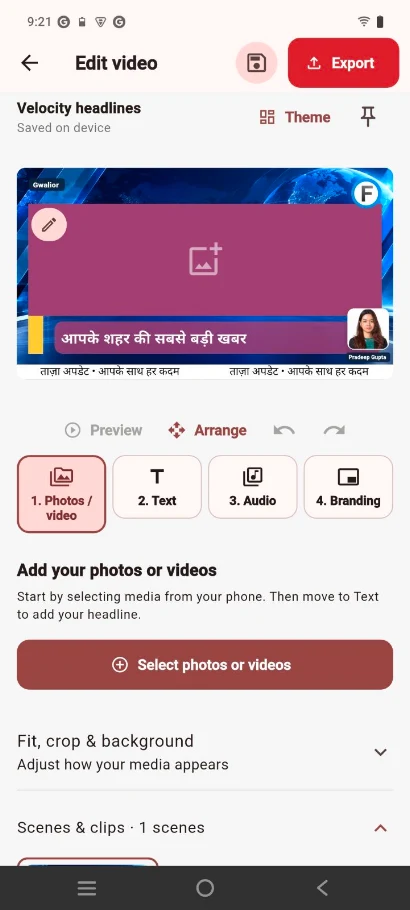
MAKE IT YOURS
Simple tools to bring your media, words and channel identity together.
01 / DESIGN
Explore news, interviews, festivals, promotions and photo stories. Save the designs you love to your favourites.
02 / PERSONALISE
Add your channel logo, reporter photo, headlines and ticker text. Build a look your viewers recognise.
03 / TELL YOUR STORY
Record a voiceover, import audio or use supported Indian-language and English (India) speech voices on your phone.
Voices vary by device. Some need internet.TAKE A LOOK INSIDE
Real screens from Breaking Studio.
One step at a time.
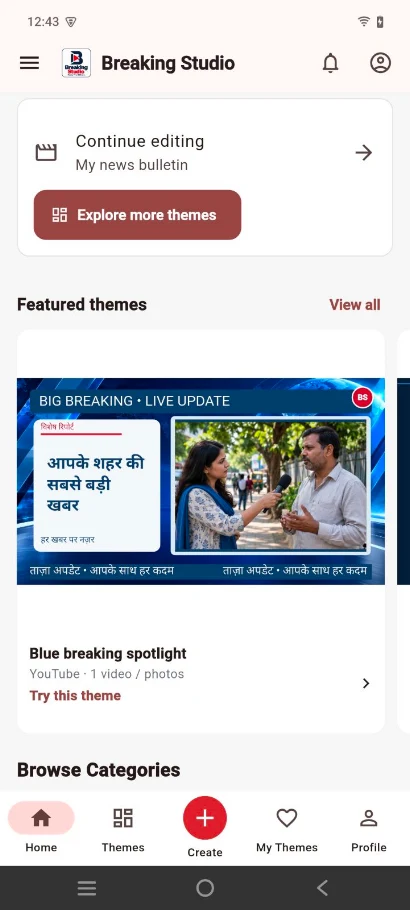
Browse themes for your next story.
Add media, text, audio and branding.
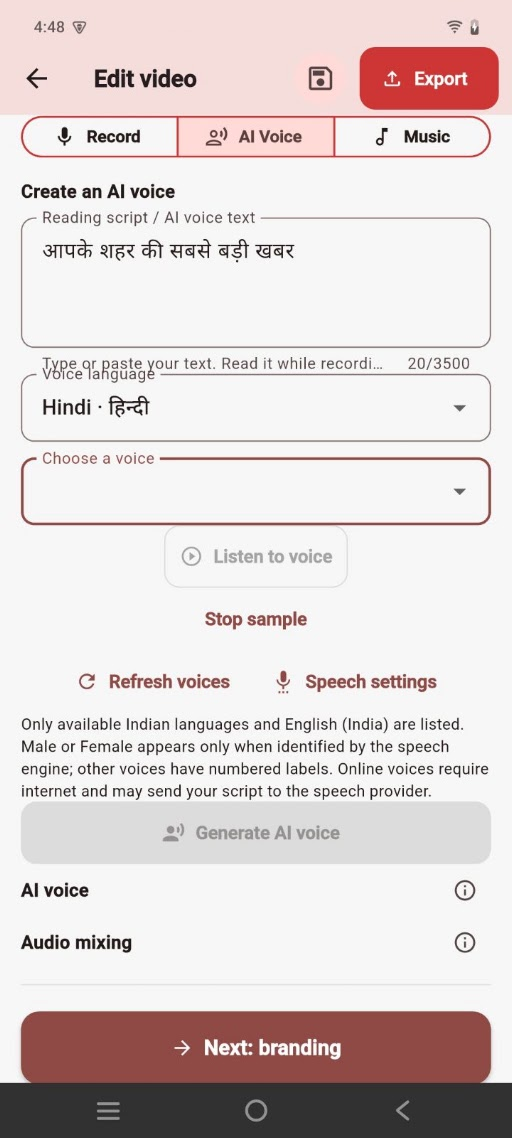
Preview a voice and create your audio.
IDEA TO EXPORT
Pick a design and format that fits your video.
Bring in media, write your text and adjust audio and branding.
Check your video, save it to your device and share it where you choose.
START CREATING
Free exports include an app watermark after the first three seconds. Paid packages have the video limit and validity shown in the app, with no compulsory app watermark. Current packages do not renew automatically.
GOOD TO KNOW
Editing projects, media and exports stay on your device. Sign-in is not a cloud backup. Keep copies of important work.
Yes. Choose a vertical, landscape or square theme. The first theme sets the project size, and added scenes use matching-size designs.
It is an administrative review of submitted channel details. It is not government accreditation or a guarantee of content accuracy.
Use Delete account on the app’s Policies page or our online deletion form. Local projects and Gallery files remain on your device.
LET’S GET YOU STARTED
Contact us for app availability, setup help or questions about Breaking Studio.
Ganga Pura Jawahar Ganj, Dabra
District Gwalior, Madhya Pradesh
475110, India
Create responsibly. Use only content and channel identities you own or are authorised to use. Review facts, permissions and generated speech before publishing.